Sunava visitor's guide: how to use the online temple
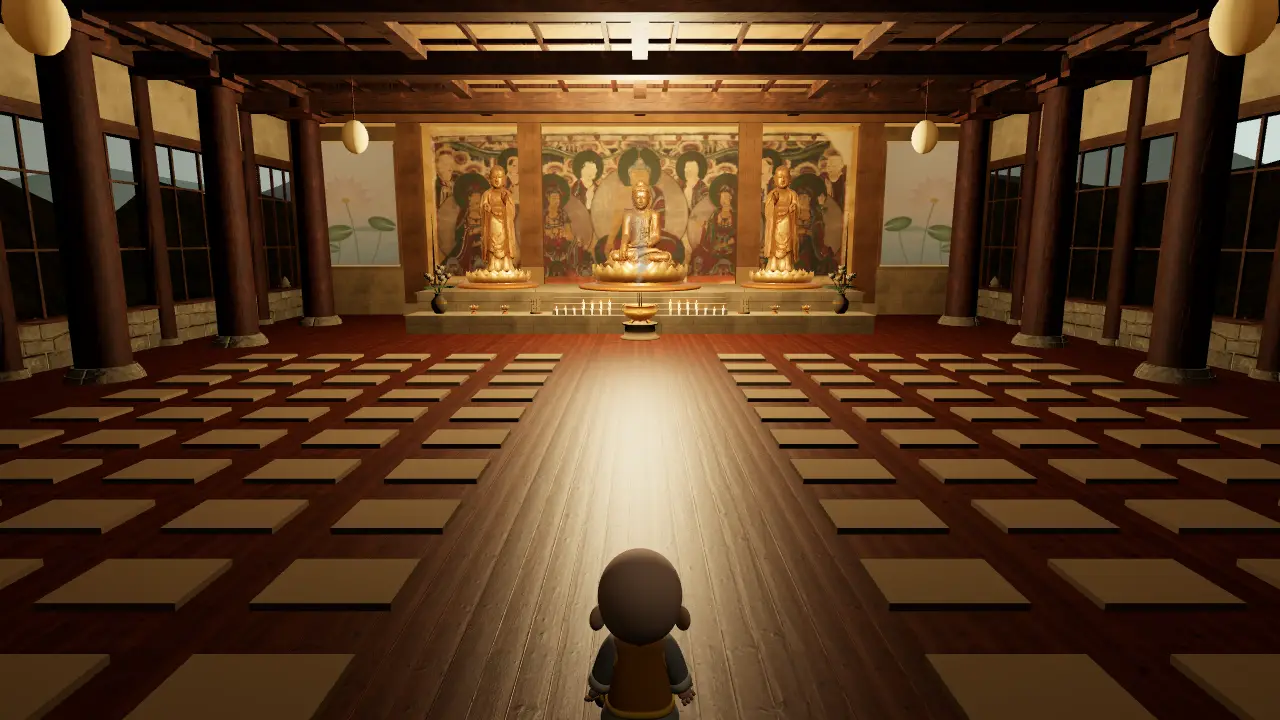
This guide walks through everything you can do at Sunava, an online Buddhist temple that runs in your phone or computer browser. There is nothing to install and no account to create. If you would rather explore first, enter now and come back when you have a question.
Choosing a room
When you enter, you can type a nickname or simply stay a visitor. Enter quietly takes you to the liveliest room that still has space. Each room holds up to 100 people, and the list shows how many are inside right now, such as 34/100. If a room fills as you arrive, you are led to another one. To meet a friend, tap the share button at the top of the screen and send them the link to your room.
There is no chat. People share the temple by being there, walking and bowing, which keeps it quiet.
Walking around
- On a phone: push the circle at the bottom left, or tap the ground where you want to go.
- On a computer: click the ground, or drag the circle at the bottom left with your mouse.
- To look around: drag the screen. Pinch or scroll to move the view closer.
You start in the courtyard, by the lotus pond. The stone path leads straight up the steps into the main hall.
Bowing and sitting
The buttons at the bottom work anywhere. Palms joins your hands. Bow makes one full bow, and pressing it three times makes the traditional three bows. Sit settles you on the ground or on the nearest cushion in the hall. Bows are counted with everyone else's, and the hall shows the total from the last 24 hours.
Making an offering
Walk close to each of these and a button appears.
- Lantern: look for the great glowing lantern with a sign beside the courtyard path. Choose a colour, light it, and write a wish if you like. Your wish stays on your own device. More about lantern offerings.
- Candle and incense: these are in the main hall, in front of the altar. What they mean.
Each device can offer one of each at a time. An offering burns for 24 hours, and people in other rooms see it too, even after you leave.
Meditating
Meditate starts a quiet timer of 3, 5 or 10 minutes. If you are new to this, start with five-minute meditation for beginners.
Every evening at 6 pm in your time zone, the lights go down for a 20-minute sitting. A bell, a bowl and a wooden fish mark the start and the end, and no words are spoken. A notice appears 10 minutes before, and anyone in the temple can join. If your clock shows another hour, the temple simply looks as usual, so people in different time zones sit at different moments.
The moktak and the mala
Moktak opens a wooden fish to strike at your own pace. Beads opens a string of beads: slide them one at a time toward a goal of 27, 54 or 108.
The bell
The temple bell hangs in its pavilion at the side of the courtyard. Walk up to it and you can ring it once.
If something goes wrong
- No sound: browsers wait for your first tap, so tap the screen once. The ♪ button at the top mutes and unmutes.
- The count shows a dot: the connection dropped. The page reconnects by itself, and you can keep walking meanwhile.
- It runs slowly: the page lowers its quality on older devices. Closing other tabs also helps.